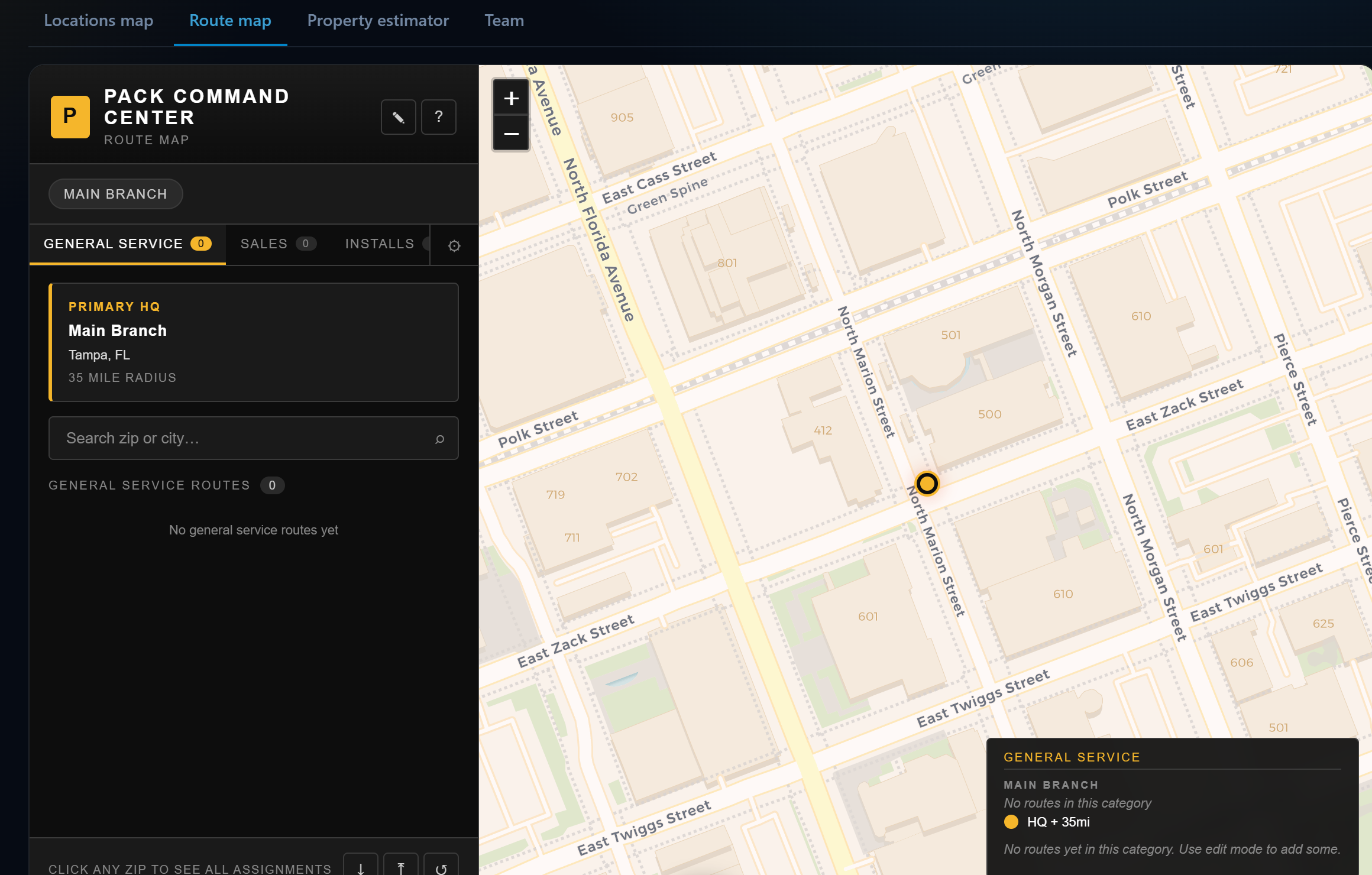
Build your coverage map the way you actually run it: branches with service radii, zip codes assigned to routes, and separate layers for general service, sales and installs. Then let the optimizer order each day's stops so crews spend time working, not driving.
Branches, HQ radii and zip assignments live on the map, click any zip to see exactly who covers it.
General service, sales and install routes are tracked separately, because they ARE separate businesses inside yours.
The schedule's route panel orders each tech's day by distance, cutting windshield time between stops.
The same map powers customer locations, the property estimator and the live team view, one geography, everywhere.
Each branch gets its own coverage picture; the Command Center rolls performance up across all of them.
Mapping runs on open map data, no per-lookup charges inflating your bill.
Set your branch HQ and service radius, then assign zips to routes in edit mode.
Open the route panel beside the schedule to sequence each day's stops.
Check the Locations map for every customer plotted across your territory.
Keep exploring:
The live demo seeds a business like yours, same features, real numbers, nothing to install.