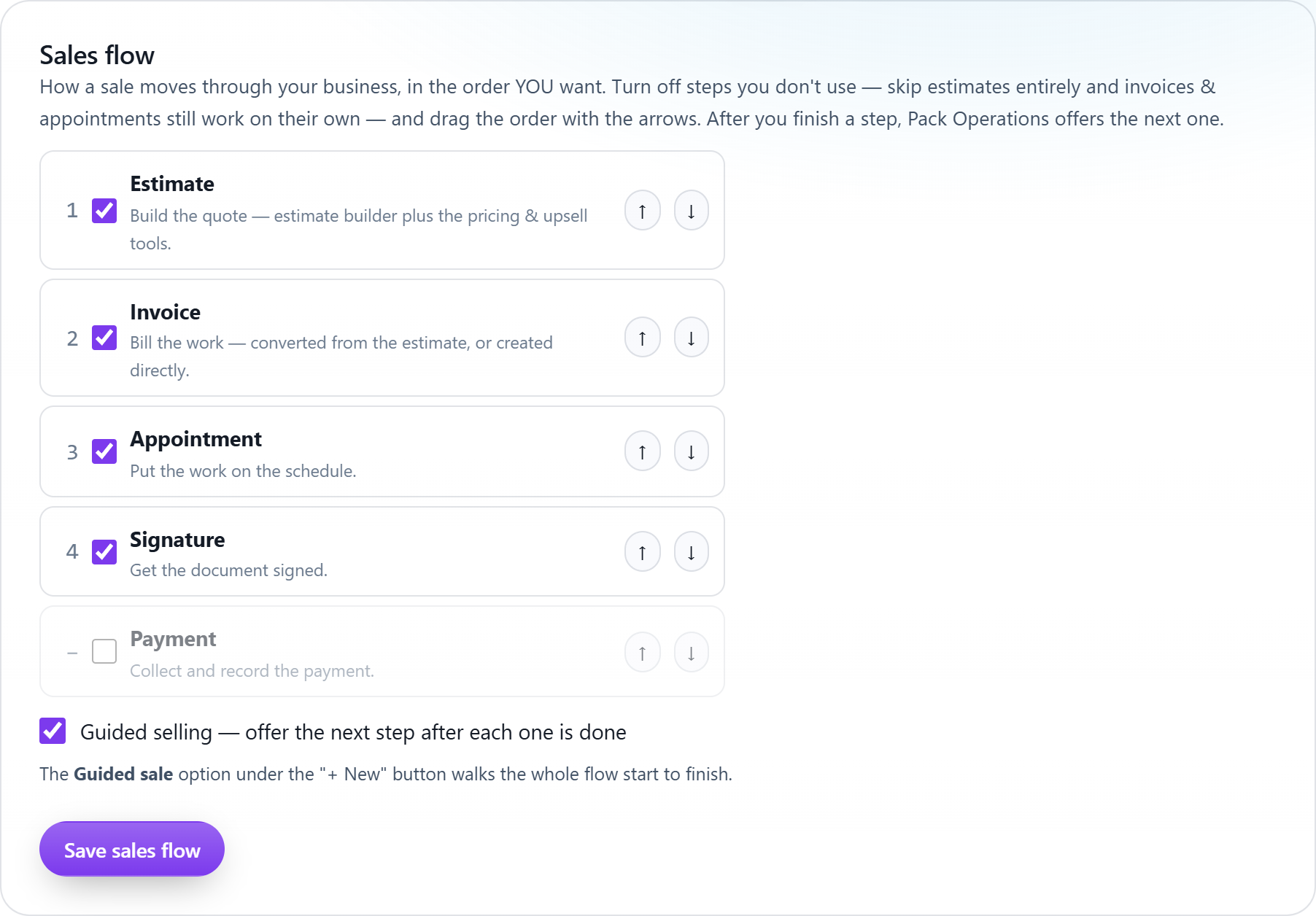
Every business closes differently. Pick which steps a sale goes through, estimate, invoice, appointment, signature, payment, set the order, and the system walks your team from one to the next. Skip estimates entirely? Invoices and appointments still work on their own.
Reorder the five steps with arrows and turn off the ones you don't use. The whole app prompts in the order you chose.
Save a new estimate and it offers to convert to an invoice. Convert, and it offers to book the job. Book, and it asks for the signature. Nothing is forced, every prompt is skippable.
The "Guided sale" option under + New walks a rep through the entire configured flow start to finish, perfect for new hires.
Service-and-invoice shops turn the estimate step off and go straight to work, the direct paths never disappear.
Converting an estimate asks who sold it, carrying their commission rate onto the invoice automatically.
Each step links to the last: invoice to estimate, job to invoice, signature to document, one thread per sale.
Open Settings → Sales flow and arrange the steps your business actually uses.
Leave guided selling on, after each step completes anywhere in the app, the next one is offered.
Watch sales move: estimate to invoice to booked job to signed contract to payment, in your order.
Keep exploring:
The live demo seeds a business like yours, same features, real numbers, nothing to install.